Rowsmith reads the transaction table in a statement PDF and checks every row against the running balance — on your iPhone or iPad, with no upload and no account.

One job, done well — and done privately.
Previous balance plus the amount must equal the printed balance, to the cent. Any row that doesn't is highlighted.
Tap any row to correct its date, description or amount before you export.
UTF-8 CSV with your separator, Excel with real dates and numbers, or OFX for finance apps.
No tutorial, no account, no setup.
From Files, or open it in Rowsmith from Mail.
Balances match — or see exactly which row doesn't.
CSV, Excel or OFX, ready to sort and add up.
Try it free, pay once to keep the results. No ads, no subscription.
It turns a bank or credit-card statement PDF into a clean transaction table — dates, descriptions, money in and out — and exports it to CSV, Excel or OFX.
Text-based statement PDFs, the ones you download from online banking. Scanned or photographed statements have no text to read. Every bank's layout differs, so the balance check shows you any row to fix before you export.
Never. Rowsmith has no network code at all — your statements are read on your device and never uploaded.
No. Reading a statement and reviewing every row are free. One $4.99 purchase unlocks exporting, for good. No ads.
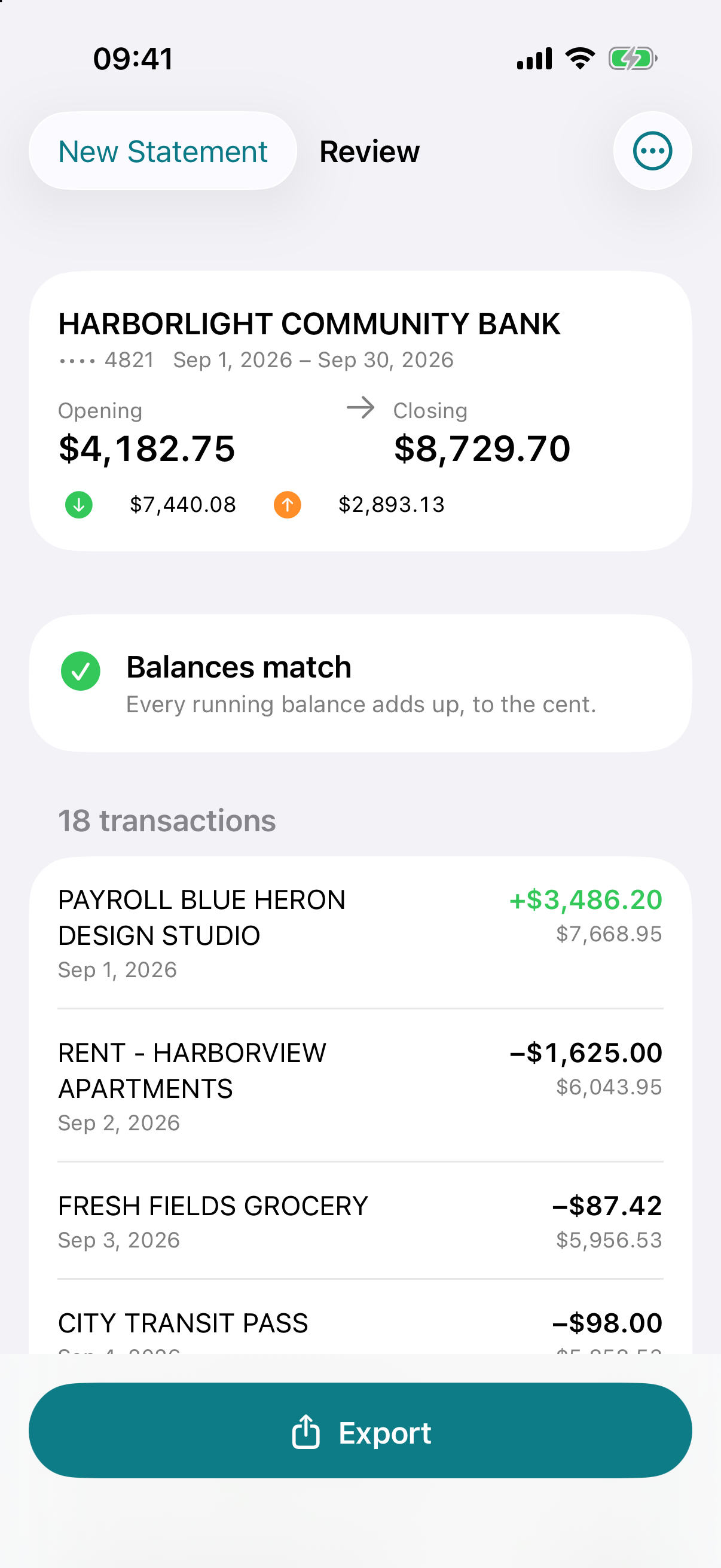
Balance-checked rows on your iPhone — pay once to export.
Download on theApp Store