Embroidly digitizes a logo, clip art or simple flat-color drawing into a machine-embroidery file — DST, PES, JEF or EXP — on your iPhone or iPad, and shows you every stitch first.

One job, done well — and done privately.
Tatami fill for large areas, satin for straight narrow columns, underlay, tie-ins and trims on long jumps. Holes stay open.
100×100 to 200×200 mm or a custom size — the design keeps its proportions and always fits.
A zoomable stitch preview with stitch count, colors, trims, size and estimated sewing time.
No tutorial, no account, no setup.
A logo, clip art or simple drawing.
Size, 1–12 colors, fill angle and density.
DST, PES, JEF or EXP for your machine.
Try it free, pay once to keep the results. No ads, no subscription.
It turns a flat-color image into a machine-embroidery file: it finds the colors, removes the background and turns each shape into real stitches sized for your hoop.
Flat-color logos, clip art, text-like shapes and simple drawings. Photos become flat, poster-style shapes, not photo stitching. Automatic digitizing is not a human digitizer — always test-sew on scrap fabric first.
Never. Digitizing runs on your iPhone or iPad — no upload, no account, no server.
No. Choosing an image, digitizing it and previewing every stitch are free. One $4.99 purchase unlocks exporting, for good. No ads.
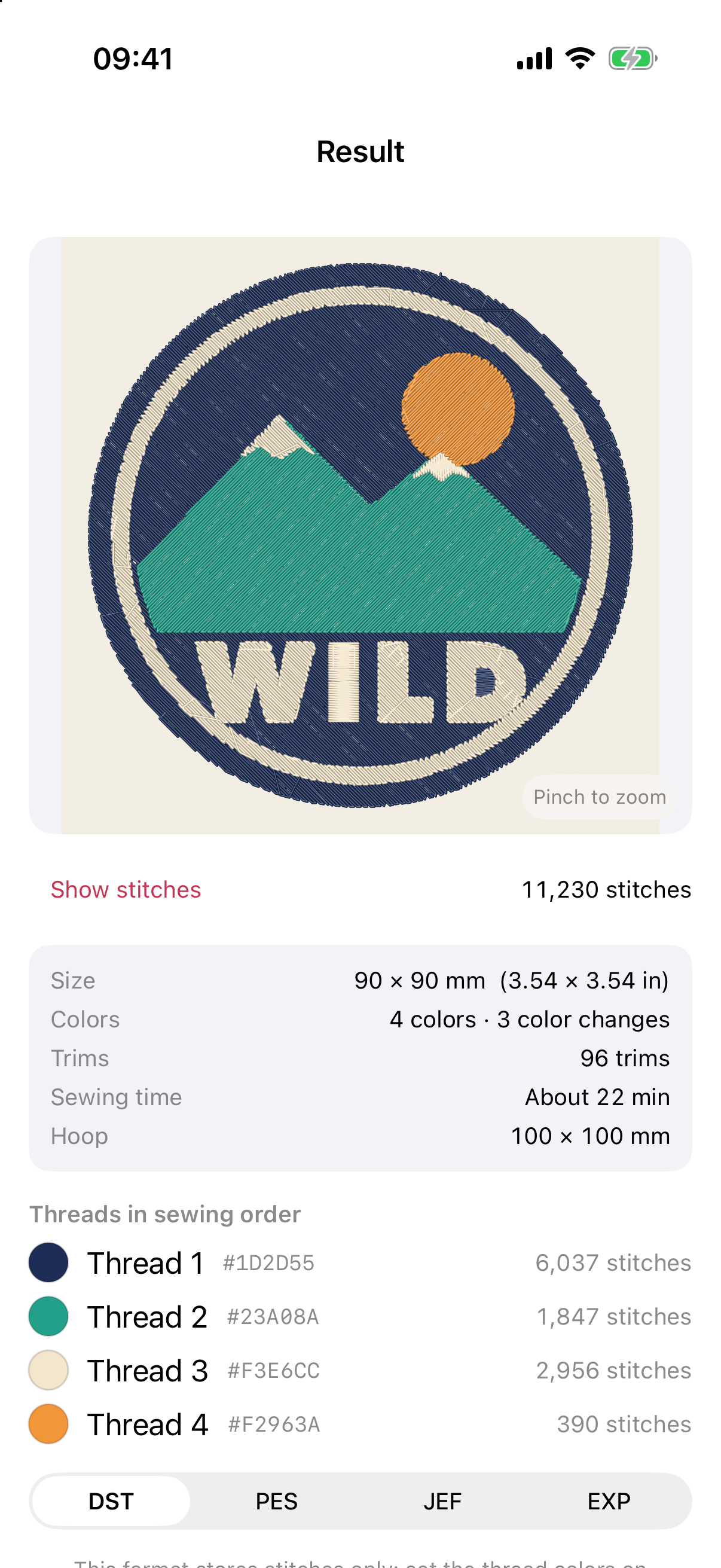
Digitize on your iPhone — see every stitch, pay once to export.
Download on theApp Store